How To Remove iTunes DRM
The following is a sponsored review.
So downloading music from iTunes is easy. Problem is, if you want those same music to be played in other non-Apple devices, they are rendered useless because of digital rights management being applied to them.
But it does not mean they cannot be overridden. Using software, one can actually bypass this problem and have those same music files playable in other devices.
Using a software from iSkysoft, its DRM removal software can do just that so you can burn iTunes videos to DVD or convert iTunes videos to other video and audio format files.
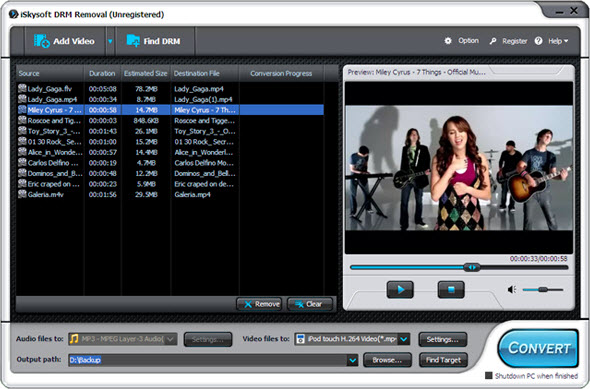
To remove protection from your iTunes protected files, you only need to do the following:
- Import DRM protected iTunes videos/songs to the DRM Removal program.
- Select M4V as outpur format or any other format you like.
- Hit Convert to start revoming DRM protection from your iTunes videos/songs.
Easy, right? Only a few clicks here and there and voila! Easy as pie.
While the software is not free, it only costs a few bucks and it effectively does what it was developed to do. These cases should not be restricted from us. If you bought it, you are free to use it however you want and anywhere you want to, right?
Check out this itunes drm, remove drm from itunes software.
Donations appreciated. Every little $ helps. Or click Google +1