Share the post "How To Get PDF.JS Text Below The Bounds Of A Canvas Annotation Shape"
So you successfully added an annotation feature in your PDF.JS web application. You created some shapes onto the Canvas and you want to get the text that are within the bounds of the annotation shape.
How can you do it?
Take this image for example. See the yellow highlighted shape?
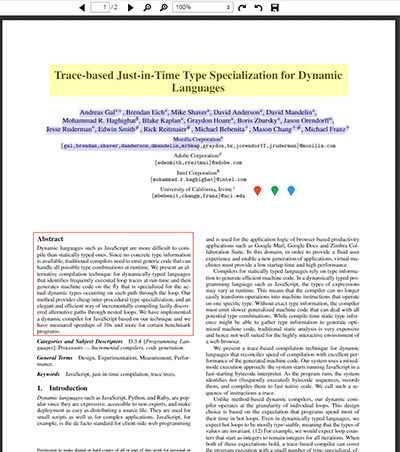
The only solution to do this is to add a Span tag for each character because doing this you will be able to get the offset x,y coordinates as well as the width and height and use these details to see if it intersects within the annotation shape’s bound.
This is my custom made function:
|
1 2 3 4 5 6 7 8 9 10 11 12 13 14 15 16 17 18 19 20 21 22 23 24 25 26 27 28 29 30 31 32 33 34 35 36 37 38 39 40 41 42 43 |
getTextBelowIt: function(annotation) { var div = $('#pageContainer' + (this.pageIndex + 1) + ' > .textLayer'); var divs = $(div).children(); var buffer = ''; divs.each(function(index) { var x = parseFloat($(this).css('left')); var y = parseFloat($(this).css('top')); var w = parseFloat($(this).attr('data-canvas-width')); var h = parseFloat($(this).height()); if (someIntersectFunctionThatReturnsBoolean(x, y, w, h)) { var divSpan = $(this); var origHtml = divSpan.html(); divSpan.html(function (i, html) { var chars = $.trim(html).split(""); return '<span someattribute="true">' + chars.join('</span><span someattribute="true">') + '</span>'; }); var letterBuffer = ''; $(divSpan).find('span[someattribute="true"]').each(function() { if (annotation.intersects($(this).offset().left - div.offset().left, $(this).offset().top - div.offset().top, $(this).width(), $(this).height())) { letterBuffer += $(this).text(); } }); divSpan.html(origHtml); if (letterBuffer.length > 0) { buffer += letterBuffer; if (index + 1 <= divs.length - 1 && parseFloat(divs.eq(index).css('top')) != parseFloat(divs.eq(index + 1).css('top'))) { buffer += '\\n'; } } } }); return buffer; } |
By passing the annotation into the parameter, it will get its x, y, width and height details and loops through all the text Div layer of PDF.JS in the page number where the annotation is placed.
Then, if the text Div layer’s bound intersects that of the annotation shape’s bound, it will loop through all the text and add a Span tag.
Each span tag will have its own x, y, width and height and it will be used to see if it intersects with the annotation shape’s bound. If so, the character will be added to the buffer variable.
The buffer variable is the one that stores all the characters found to be within the bounds of the annotation shape.
The annotation parameter should be some annotation class that has a pageIndex and x, y, width and height attributes.
