Simple Remote Support Across Multiple Platforms
Posted by blogmeister on
February 7, 2011
It is a fact that Linux has a strong foothold in the server market today including an increasing number of companies and government institutions standardizing on it. Remote access is quite popular amongst support services because it enables support staff to easily troubleshoot a recipient client’s system without having to go to where the recipient client is located.
Simply put, one can do troubleshooting on the client machine right on one’s PC. This is why remote desktop connections are popular. You may be familiar with remote desktop connections when it comes to Windows. However, other operating systems like Linux can also be accessed using such service.
Bomgar is certified on multiple Linux distros and unlike some solutions that stop with basic support, it offers largely the same features for Linux as it does for Windows. So why Bomgar? What makes them different from the rest?
click to enlarge
Not all remote desktop connection clients can simplify support like Bomgar does. It lets technicians control remote computers, servers, smartphones and network devices over the internet or network through an easy to use user interface. The functionalities are self explanatory and one can actually initiate a remote connection to the destination client with ease.
Regarding firewall issues, although firewalls block incoming traffic, they do allow outbound traffic. Through a Bomgar Box, both end to end users can send outbound traffic thereby providing instant support to any computer in the world without the worries and hassle of bypassing firewall problems.
One of Bomgar’s well known clients who uses their product is Zappos.com who uses their remote desktop client in order for their support representatives to work efficiently considering they are a a Linux based call center.
Download a free trial of this secure Linux remote support software to try it out yourself. It includes Windows remote support as well as Linux, Mac OS, BlackBerry and Windows Mobile all from one screen. Check it out!
Found this useful? Donations appreciated to help keep this blog alive.Laptop Or Desktop?
Posted by blogmeister on
January 19, 2011
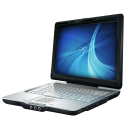 Which one would you choose? A laptop or a desktop? I would say it depends on the user. For a programmer like me, I would say I prefer the desktop over the laptop anytime. I can move more freely when using the desktop and it is really ideal for developing purposes.
laptops are more for presentation and style  . At least that is how I see them. Budget wise, desktops cost cheaper and are more flexible than laptops in terms of hardware upgrades. Laptops are obviously more portable than desktops, so the more important question is whether or not you need portability.
If people in your household will want to use the computer in different rooms, a laptop is an ideal option. If you plan to move the computer infrequently, a desktop is a better buy for your money.
Still, despite the few points I mentioned it really boils down to one’s preference, where one finds a laptop or desktop of greater use than the other is up to the person.
Found this useful? Donations appreciated to help keep this blog alive.tags: desktop, laptop
No Comments
My Ultimate Home Office, Plus Get A Chance To Win A 100$ HP Gift Card
Posted by blogmeister on
August 25, 2009
 CONGRATULATIONS TO DTX FOR WINNING THIS CONTEST!
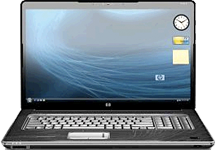
My ultimate home office would consist of products from HP that include this all in one PC model HP Touchsmart lQ800t series, HP HDX 18t laptop (check screenshot), HP Laserjet P1006 printer and this HP iPAQ 910 smart phone. HP has just the right equipments and gadgets available that I want for my home office, especially the new models of their smart phone. I have been a fan since theHP Jornada series were introduced and the models of their smart phones now have evolved even more. I can have palm top related features together with phone features rolled into one and the HP iPAQ 910 is just the right smart phone for my needs.
The HP lQ800t all in one PC solves all my space problems including how bulky old monitors were. A flat screen with all PC components inside, still giving me a flat body overall indeed will save me quite a lot of space and my workspace will look clean and spacious. A high end laptop is needed for portability and presentation purposes since I usually do the core of my work on a bigger screen which the desktop HP lQ800t would serve that purpose. I prefer the all in one type of gadgets and equipments because I can save cost rather than buying each component which can add up my expenses even more.
Oh, and I have some great news for you! You can win a $100 HP gift card which you can use to upgrade any of your HP gadget or equipment. To join, just make sure you follow these contest rules. Place a comment on this blog post that includes which HP laptop is your favorite. At the end of the contest period, one winner will be chosen and contacted via email. Valid through 10/31 or while supplies last. Restrictions and exclusions apply.
Oh yeah, here is another great HP offer. Use this HP $30 stackable site wide coupon that can save you $30 off orders $150 or greater at the HP Home Store. Use coupon code SV2132. One important thing to note is that this coupon code is valid for only a week. So grab this great offer from HP and use the most out of it, FREE!
Found this useful? Donations appreciated to help keep this blog alive.












