Worst AppStore Apps So Far …

I believe Apple’s Appstore is a success. There is only one drawback that I think should be considered for change. There’s no way for you to see a demo of an application or game. Even if they cost a dollar or more, it would be nice to see demos of them so we would know what to get. This advice is for those who purchase Appstore applications hehehe. Since the news that Appstore has been hacked, a lot of the applications can be placed into your iTouch without having to purchase. I checked out a lot of applications and games to see which ones are good or not. Some are useful, some are enjoyable to play while some are just plain useless. I’m only going to list 3 Appstore applications that are useless and not worth buying since they just do nothing at all.

1) iBeer - your iTouch becomes a glass so it seems, and beer oozes out into your screen moving. If you move it sideways though, it’s as if you’re drinking beer and the glass gets empty. Then that’s it. Good luck to those who bought it haha.

2) iMilk - same as iBeer except that it’s milk this time.

3) I Am Rich - does nothing except displays a red glowing gem and some sort of mantra crap? Altough I’ve read that Apple just took out the application recently, it costed a whopping $999.99. There were 8 people who purchased it before it was taken out, so, lucky developer for earning 8 grand.

Like what you see? Buy me a cup of coffee. Or subscribe to my feeds.


(No Ratings Yet)
 Loading ...

Backup Your iTouch With MegaPhone In Mac OS

Once I decided to have my iTouch firmware converted to version 2, I had to look for a software that would let me backup all my music, videos and photos back to my MacBook. Luckily, my friend already has one so I didn’t not have to look in Google what software I should use best to backup all my files. Megaphone is a pretty simple program for the Mac OS that lets you do so. Once you run it, choose the category on the left side (video, photo, music) and click the button COPY FROM IPHONE at the top. Pretty simple.

Next question would be, how to have access to the files that you just transferred to your iTouch using MegaPhone? This is assuming you jailbreaked your version 2 firmware, use Cydia to install MobileTerminal. Run it, then type the command su (for root commands) and the password alpine (by default, you may need to change this) and use cd to go to /private/var/mobile/Media/iPhoneDrive to get to the file and do anything you want to do with it. If you wish to look for it in the net, Ecamm does not have Megaphone anymore. They changed it to PhoneView which also lets you backup everything iPhone related like SMS messages. Just google for the old MegaPhone application if you want to use Megaphone instead of PhoneView. It should be there.

Like what you see? Buy me a cup of coffee. Or subscribe to my feeds.


(No Ratings Yet)
 Loading ...

Bejeweled 2 for iTouch

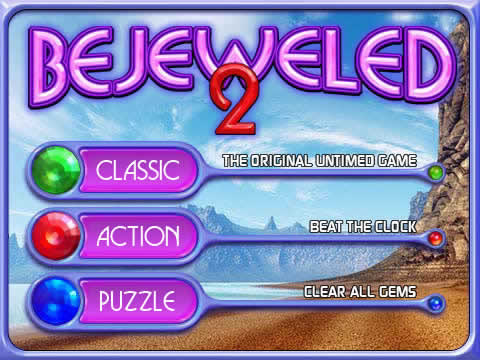
One of the best games for the iTouch and one of my favorites. Popcap never ceases to deliver good quality games on any console. The gameplay is the same as any other console version. Move gems and switch the one on top, bottom or beside the one you chose, and if 3 or more gems match, you score. If you match 4 gems, you get a specialzed gem that when matched again, will explode other gems nearby. If you get a 5er match, switching it with another gem causes all other gems of the same shape and color to be electrocuted which means, more score for you. Play in either timed or unlimited time. The game also lets you continue your last play in case you exit the application and come back later for it. I did encounter a bug though. When I was supposed to start Level 3, I suddenly had a game over. Weird, seems like the game was programmed to show out random gems without even making sure that at the start of every round, you shouldn’t get a game over. Good that that was only Level 3. What if I was at some later level, which ain’t easy reaching, and all of a sudden the game is over, pretty much unfair right? But oh well, the chances are probably miniscule but I did encounter it.

Like what you see? Buy me a cup of coffee. Or subscribe to my feeds.


(No Ratings Yet)
 Loading ...

Super Monkey Ball For iTouch

Good game. I figured that since it’s been quite awhile now that version 2 of iPhone’s firmware was released, there should be a fair amount of games out by this time. Enter Super Monkey Ball, Sega’s product ported to the iPhone/iTouch. Graphics is sleek, gameplay is the same as in the original, you nagivate the path to reach the goal. But beware, not all the roads you pass through have sides to keep you from falling. I’m fairly new to playing this game so I still have a lot of getting used to using the accelerometer. Tilt upward to slow the monkey’s movements. As for tilting right, left and forward, I’m still not comfortable with using it. Music is good too. This game can be found in Apple’s App Store for 10$. Check out these screenshots.

Like what you see? Buy me a cup of coffee. Or subscribe to my feeds.


(No Ratings Yet)
 Loading ...