There is no data type casting conversion feature available in LUA so an alternative to convert float values to integer would be to use the math library.
Lua
1
math.floor(variable)
This returns the largest integer smaller than or equal to the value.
Integrating NLog in Visual Studio is pretty easy. And I mean literally. I have just re-started my learning experience with C# and Visual Studio and integrating NLog was one of the things I had to do to use in my Windows service.
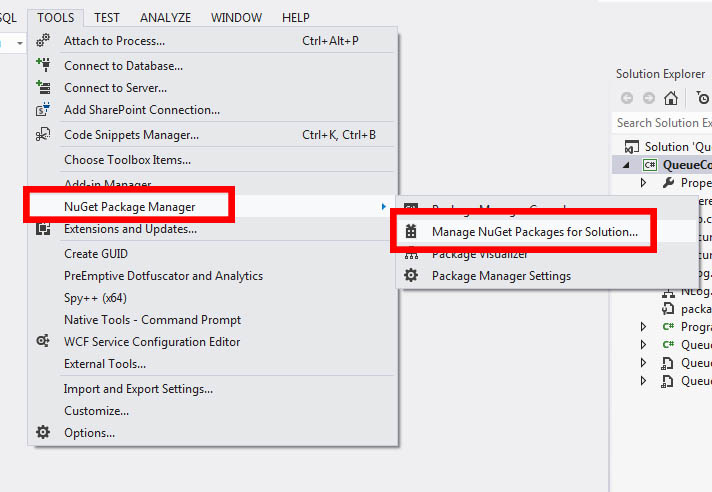
To start off. Go to Tools > NuGet PackageManager -> Manage NuGet Packages for Solution
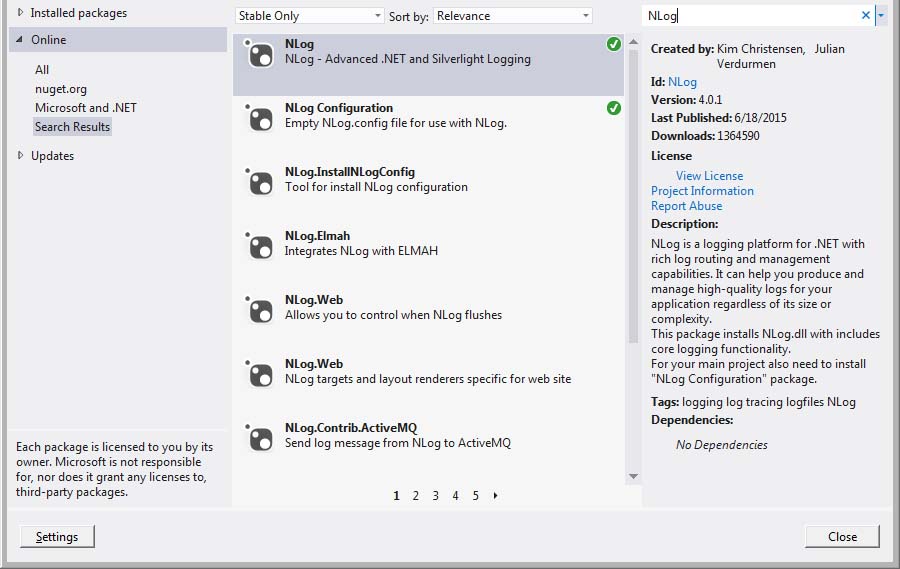
Now, on the upper right of the popup window, there should be a Search field there. Type NLog and search for it.
You should then be able to see a list of some NLog related packages. Select NLog and NLog Configuration.
Once installed, there should be a file named NLog.config. Open that to modify your preferred logging output to either File by default or through console.
By default, the target and rules tags are commented out. Simply uncomment them. If you wish to have NLog output to console, change xsi:type from File to console.