


How To Recover Emptied Trash To Get Back Deleted Files
Posted by blogmeister on
July 8, 2013
The following is a sponsored review.
Some users still think that when a file gets deleted in the recycle bin or trash, it is gone for good. Well, no. Not unless you use a software for recovering those deleted files.
True, when people delete files they usually hang around in the trash before they are deleted for good. However, many users delete them outright rather than later which can be costly mistakes in the long run if they realize that those files that got deleted were very important.
Common operating systems itself do not provide such mechanism to recover files. Otherwise, these software applications would be of no use. Do they? Windows? Mac OSX? No. They do not.
But using a software application for data recovery like iSkySoft’s Data Recovery software application for Mac OSX might. It is not assured that you will be able to recover the file 100% intact but the chances are high that you will be able to do so rather than not being able to.
iSkysoft Data Recovery for Mac is also well known for its speed and ability to scan all physically existing files in your hard drive. It fully supports all popular file formats like PNG, JPG, MP4, MOV, MKV, MP3, M4A, ZIP, PDF, DOC, DOCX, PAGES, EMAIL and EML to name a few.
Using it is fairly easy as 1-2-3. You are given a few choices on what kind of data recovery you want to do. Select the option, choose which drive or location you want to start searching and that is it. Let the software application do what it is supposed to do.
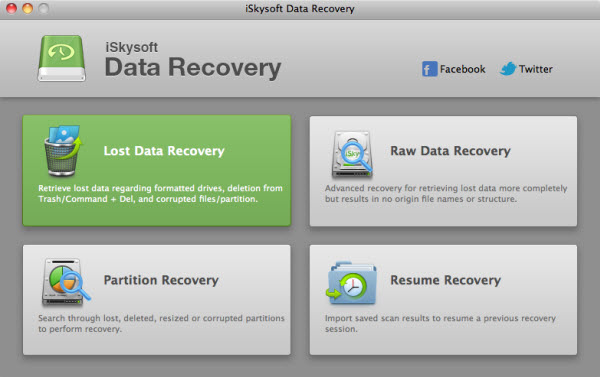
You will then be given a list of all files that it a candidate for recovery. Simply select the ones you want recovered and voila! You have back your deleted files. Files recovered each have their own visual icons to help users identify which files are still in good condition to recover.
The bigger the files that you want to be undeleted, the longer time it can take so just be patient. As long as the files get recovered in good condition that is all that matters, right?
Check out iskysoft data recovery software application for Mac.
Donations appreciated. Every little $ helps. Or click Google +1.How To Recover iPad Bookmarks
Posted by blogmeister on
March 22, 2013
Now, suppose you looks iPad bookmarks. Do you think you can restore them back using iTunes? No. Because that is all there is to it with iTunes, just a store in the first place.
In order to enhance the possibility of your bookmarks getting recovered in your iPad device, you better not sync your iPad with iTunes thereby avoiding overwriting the previous iTunes backup file. Also, do not use your iPad again if you want to directly recover data from the device without iTunes backup.
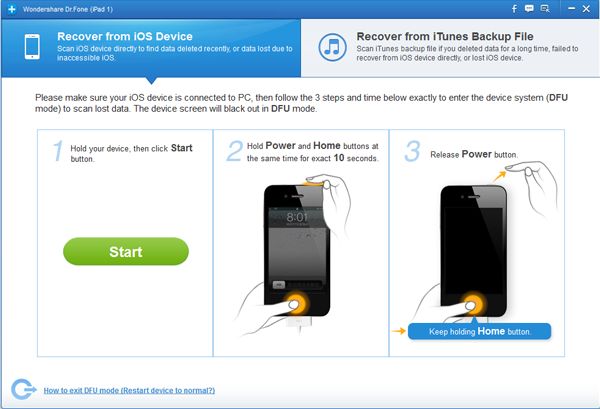
The next step is to get a tool that can let you recover iPad Bookmarks. Say, Wondershare Dr.Fone for example. This application comes in both Windows and Mac OS versions.
After you install the application, the rest is as easy as 1-2-3. Click a few buttons here and there and the application does the rest for you.
After the scan, you can preview all the bookmarks that it has seen and whichever bookmark that you want back, simply get them in just one click.
So easy, right?
Bookmarks may not mean much to others but for some, those bookmarks are bookmarked for a reason. Check out this ipad bookmark recovery application.
Donations appreciated. Every little $ helps. Or click Google +1.












