My First Kickstarter Pledge: The Muku Shuttr
Posted by blogmeister on
November 10, 2013
Kickstarter is really a haven of new ideas. My first pledge was of the Muku Shuttr. After I watched the video, I knew I had to get one.
Muku Shuttr is the world’s slimmest remote camera control that is compatible for the iPhone, iPad, Samsung Galaxy S4/S3, Notes 2, LG Nexus 4. No app is needed to use this. Only bluetooth is required.
Other new phones may be on the works so this remote control can be compatible.
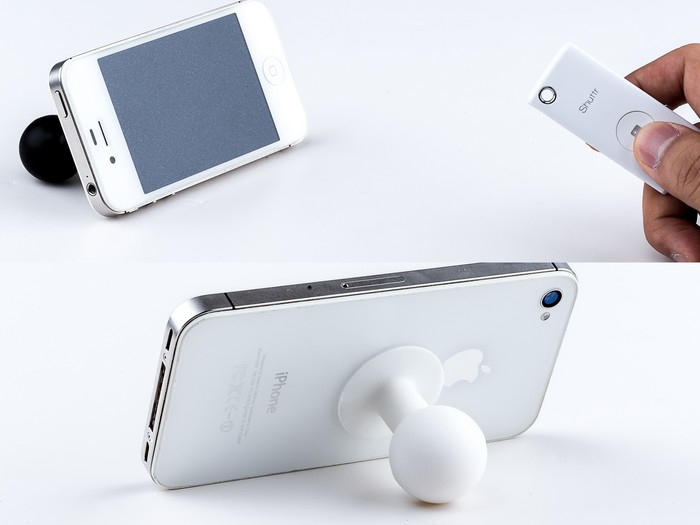
So what use can the Muku Shuttr give you? Doing selfie shots for example. You can just place the camera in front of you and do the pose that you want without the hassle of having to extend your arm just to take a good shot of yourself.
Muku Shuttr is designed to solve all these problem by resting in your keychain and allow you to take photo with yourself, your friends and your kids anytime you want.
Taking photos using the remote control is not just its only use. You can use it as a Powerpoint remote. Just pair up with you computer (Mac / Windows), switch the Shuttr to Android mode. And it works right the way.
This project had already been funded so if you want to get one yourself, you will have to go to their official site and purchase it there.
Here is my actual Muku Shuttr that I just received. It worked great when I tested it on a Samsung Galaxy S3 but this will be used by my wife’s iPhone device. The remote certainly worked well. It can even control the zoom in and zoom out features of the camera.
Make sure you place the back stand of your camera at the right place so you can get the perfect angle when you place your smartphone on any surface. Once everything is in place, let your trigger happy fingers do their thing ;).
Share the post "My First Kickstarter Pledge: The Muku Shuttr"
Whip The App, A Free Social Photo App For iPad, Android & Windows 8
Posted by blogmeister on
December 23, 2012
This is a Sponsored post written by me on behalf of Arcsoft for SocialSpark. All opinions are 100% mine.
Okay, so Whip is a social photo app that is available as a free iPad app, including Android and Windows 8 devices. So what makes this app different from the rest?
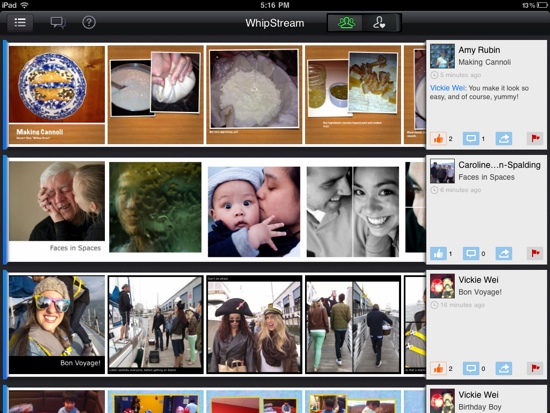
For one thing, it is free to begin with. Plus I like how quickly and easily I can blend many photos, video and music to make up my own storyline with just a few taps. I can put some comments in my album or add a song to it then see streams of likes and comments from my friends pour in.
Whip is for everybody, whether they want to share a cause they believe in, are really into their sport or simply like to show off their adventures. Showing off after all is 99% of the reason why people upload their photos to social networking sites.

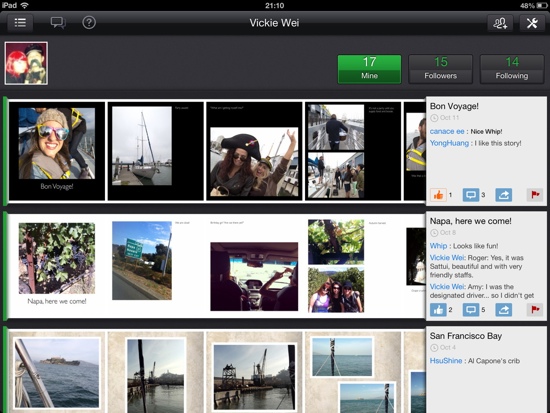
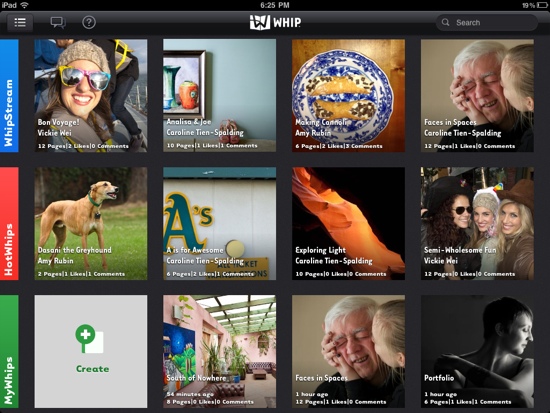
One of the best parts about using Whip is being able to interact with other Whip users directly within the app. I am sure you have used social networking sites before. You definitely will get the hang of using the app. I tried it in my Android device and it was a breeze using it.
If I was able to use it ease, I guarantee you should be able to as well.
Whip can simply use photos from other social networking sites like Facebook to be used in the app and combine them to make up your very own story.
If you have not downloaded the app, then it is time to do so now. Only a few more days till Christmas arrives so there will surely be a ton of photos that will be taken when it comes. Take pictures of the food, the times when you will exchange gifts with your families, anything that you can think of.
The Whip Social Album simply provides users with a gateway to collect, inpire and create their very own story from their photos.
Check out this video to find out more about what this app can do!
Whip Social Album for iPad from Whip Social Album on Vimeo.
Share the post "Whip The App, A Free Social Photo App For iPad, Android & Windows 8"
Check Out The MiO Energy Facebook Photo Generation Tool
Posted by blogmeister on
August 31, 2012
This is a Sponsored post written by me on behalf of MiO Energy for SocialSpark. All opinions are 100% mine.
Thinking what cover page to place in your Facebook Timeline can be hard at times. Until now I have not changed my cover page because I find it a hassle to have to think of what to really replace my current one.
The MiO cover photo Facebook generation tool has some great custom designs that can be worthy of my awesome life. Photos can also describe in some ways, you. These MiO cover photos bring out more color and vibrance to your Facebook Timeline page.
Here are the things you need to do:

- Choose from among the available custom cover photo designs, then click ‘add photo’ to insert photos from your Facebook albums.
- Use the ‘scale’ and ‘rotate’ sliders to position your image.
- Once you like it, click ‘download image’ to copy your new MiO Energy cover photo to your desktop before uploading it to your Facebook Timeline page.
- Upload image to Facebook.
Check out the cover page below image generated by the generation tool.
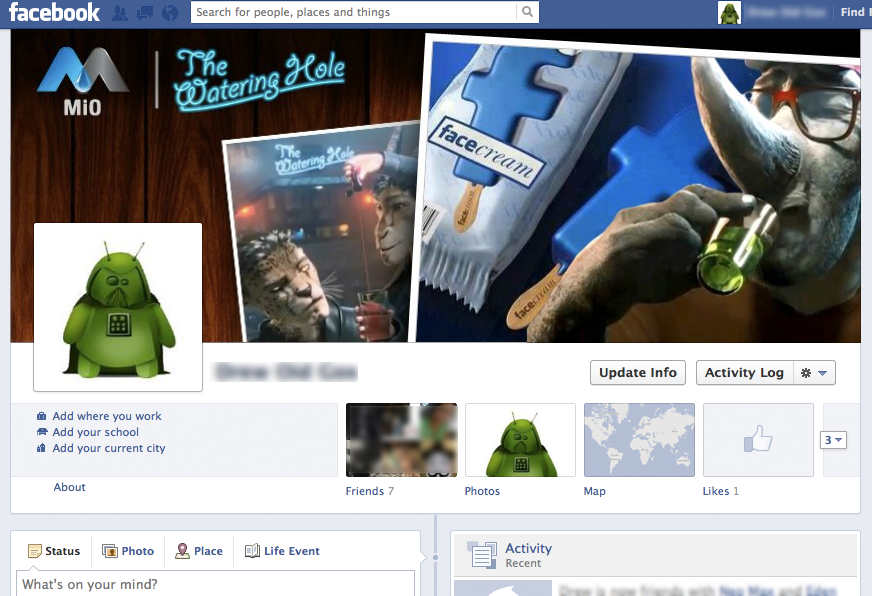
MiO helps me shake things up this summer with water drinks customized to my liking. This water enhancer enables me to server multiple custom drinks wherever I want to. It is handy, portable and the delicious flavors simply add to my craving.
Considering that these are calorie and carbohydrate free, I would say health conscious people can definitely find something new with MiO energy drinks. Being sugar free, gluten free and no artificial flavors all the more makes this an attractive complement for the summer.

Share the post "Check Out The MiO Energy Facebook Photo Generation Tool"