Logaster Easy Online Logo Creator
Posted by blogmeister on
May 10, 2012
This is a Sponsored post written by me on behalf of LOGASTER for SocialSpark. All opinions are 100% mine.
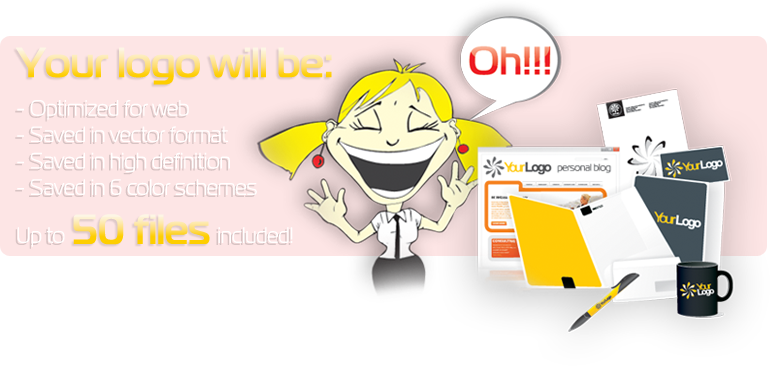
Not everybody is adept at using image creation and manipulation software hence it can be pretty hard for a user to create even a single logo. Sure, there are tutorials out there to help people get acclimated to using the application but some of us just don’t like it.
What I want is something that helps me creating something easily and without hassles. Logaster for one is a great tool for making unique and beautiful logos without any hassle. Why did I say without any hassle? For one thing, the user interface is pretty easy to use and you can make a logo in just a few minutes.
If you want to go the easy route, they have ready made logos developed with 2.0 technology that you can choose and use right away.
These logos complement business cards, envelopes and other forms of media perfectly. You can even print several versions of produce using one logo. This is the benefit of technology compared to previous past using traditional ways.
Logaster’s logos can be used for branded items, corporate identity or just for personal use.
Check out the Logo Generator to start with. You will notice then how easy and fast it easy to create even the simplest of logos. Quite the tool, right?
Share the post "Logaster Easy Online Logo Creator"
Set GreenDroid ActionBar Logo Drawable Using Code
Posted by blogmeister on
June 13, 2011
The GDCatalog app of the GreenDroid framework provides a good example on setting a drawable image logo in the ActionBar. However, suppose you want to dynamically change it. The only way is to code it. I am sure the first thing that you would do is to set the ActionBar method setBackgroundResource() or setBackgroundDrawable().
The problem with this is that the image gets stretched. Looking at the GreenDroid source, the ActionBar contains a TextView widget that displays the title if you set a String value to it. This was the reference I needed. However, calling the same methods to set the background still stretched the image.
The solution is to use the method setCompoundDrawablesWithIntrinsicBounds() and apply the left Drawable (or whichever position you want the logo to appear in e.g. center, right, etc).
This is how you do it in code. Oh, and make sure you set the TextView value to empty.
|
1 2 3 |
mActivity.getActionBar().setTitle(""); TextView tv = (TextView) mActivity.findViewById(R.id.gd_action_bar_title); tv.setCompoundDrawablesWithIntrinsicBounds(mActivity..getResources().getDrawable(R.drawable.logoimage), null, null, null); |
Share the post "Set GreenDroid ActionBar Logo Drawable Using Code"
tags: actionbar, drawable, greendroid, image, logo
8 Comments
Google Logo Mystery: Those Bouncing Balls
Posted by blogmeister on
September 7, 2010
With its latest Google doodle, the search giant turned its iconic logo into an interactive cluster of colorful moving balls. If you caught up with this one, Google showed a doodle, this time turning its iconic logo into an interactive cluster of colorful bouncing balls.
As you move your mouse closer to the logo, the balls repel away in an explosion of multi-colored dots. Google has been known to turn its homepage over to so-called “doodles” before but, usually, the colorful animations coincide with an important holiday or Google milestone.
People speculate it could be because of its birthday but its specific birthday has never been confirmed by Google themselves. It remains a mystery. What do you think the doodle symbolized? Share your thoughts.
Share the post "Google Logo Mystery: Those Bouncing Balls"