


How To Fix “Application Is Not Installed On Your Phone” Error Message In Android
Posted by admin on
August 19, 2011
If you encounter this error message “Application is not installed on your phone” when you deploy your Android app, the culprit is within your manifest file.
This can happen if you have your activity declared twice in your AndroidManifest.xml file. And by twice, I mean one: as a normal activity and two: as the launcher.
Make sure every activity in the manifest file is declared only once.
Donations appreciated. Every little $ helps. Or click Google +1. Or play the short video on the upper right of this page.The LG Optimus One In Detailed Video
Posted by admin on
January 26, 2011
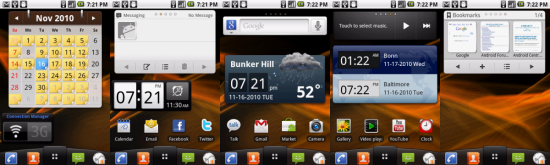
Back then, I blogged about how good the LG Optimus One is. Really … Android did them a favor because it resulted in a cool smartphone that rivals that of the iPhone. There is soft-touch coating all around the phone, interrupted only by the four nice, clickable Android buttons below the 3.2″ screen, the 3 megapixel camera on the back and the chrome-like bezel.
LG’s additions to the software actually make this phone more attractive with the big additions coming with a launcher, some nice widgets and added DivX VOD support to the operating system as well as subtle touches to the user interface of the dialer and contacts. There is no Adobe Flash support in the browser, and ThinkFree Office is included.
But the core of how good the LG Optimus One is, is how it works seamlessly with Android’s applications like Goggles to identify photos like landmarks, books, structures and many more. Look. To see is to believe right? Check out the video below detailing what things to expect when one owns an LG Optimus One.
Donations appreciated. Every little $ helps. Or click Google +1. Or play the short video on the upper right of this page.








