Popular Facebook Windows Chat Tool “Chit Chat” Reviewed
Posted by blogmeister on
November 28, 2011
Chit Chat, or more accurately in its full title as the developers describe the Facebook messaging application, ‘Chit Chat for Facebook’ is a chat tool for Windows that connects to the Facebook chat network.
Since its launch just a few years ago, Facebook chat has become one of the most popular instant messaging networks and whilst it’s not that popular for business use, for personal use the popular social networks messaging system has become a communication network of choice for most users.
Due to its popularity various desktop messaging clients have been developed for the Facebook chat platform, Chit Chat for Facebook is one of the more popular ones. This article will review this instant messaging service.
Interface Design - 4*
It’s always good to give a good first impression, and Chit Chat doesn’t disappoint. When going to install, you’ll see a rather polished setup flow.
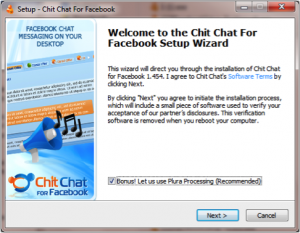
Once installed, you’ll find that the Facebook windows chat app presents itself with a slightly flamboyant, yet attractive user interface.
Whilst the buddy list has clearly been upgraded to a new interface design, at the time of writing it appears that the conversational window has yet to be upgraded. However, whilst the conversation window looks, in summary, rather basic - it is functional.
Ease of Use - 4*
Making use of Chit Chat is very intuitive. Although, relatively speaking, Chit Chat is a fairly new instant messaging application, it makes use of standard Windows application behaviors that you will know and be familiar with.
Flowing through the installation process is a breeze, and signing into Facebook chat on this Facebook desktop app is relatively simple. Just enter your Facebook username (or email address) and password and the application will sign in.
One thing I should point out here is that you’ll require a Facebook username - if you don’t have one, or don’t know what that is you’ll need to read here: http://www.chitchat.org.uk/english/faq#65
Moreover, Chit Chat won’t function if your security settings are too high - if you have a problem you’ll need to read here: http://www.chitchat.org.uk/english/faq#53
Despite its short comings discussed above, engaging in conversations with Chit Chat for Facebook is what I’d like to call ‘parent proof’ - you could quite happily install it for a non technical friend/family member and they’ll quite comfortably be able to sign in to Facebook chat on Chit Chat without any difficulty.
Functionality - 4*
In order to keep Chit Chat as easy to use as possible, much of the functionality behind Chit Chat for Facebook has been hidden away in the preference menu.
That said, by default Chit Chat provides most of the functionality that you would expect and more from an instant messaging application. For example, you’re notified by sight and by sound when friends sign in or messages are received. Moreover, the buddy list shows which of your friends is online, away or offline.
In the top of the buddy list, users are able to change their Facebook status or switch on music status messages. Music status messages is an automatic feature from within Chit Chat that enables you to automatically announce to your friend list the music files that you’re listening to on Windows Media Player or Winamp.
Hidden in the preference menu is the ability to make use of proxy servers which will be useful for those of you that find Facebook blocked within your country, place of work or school. Those of you with a creative touch will be able to customize the look and feel of their chat conversations.
Interaction - 5*
Interacting with your Facebook friends with Chit Chat is very simple. Simply double click on a friend you wish to talk to, write a message and press send. Easy. When a message is received your instant message window will flash and the tab will have a yellow icon on it indicating that a particular message has not yet been read.
Other Items Of Note
Chit Chat for Facebook is a free, but ad supported application for Microsoft Windows. The authors, Athena IT Limited, also have released a Facebook Blackberry application which is essentially a clone of the Windows application for the Blackberry smart phone.
Found this useful? Donations appreciated to help keep this blog alive.TV Antenna Selection Tool
Posted by blogmeister on
November 2, 2010
 Now how about that? While surfing the net I came across a site that is pretty useful in picking out the best TV antenna through the user of a TV antenna selection tool. The tool guides people in the process of selecting the best high definition TV antenna for their location.
This means the by finding the bes TV antenna in your location, you can get good quality signal and watch your favorite shows crystal clear. The tool is fairly simple to use but packs a strong number of useful features like displaying all TV stations in one’s location. Or perhaps selecting stations by power and frequency, antennas directionality and gain o name a few.
Users can also filter out the most common option: by area. Signals in locations vary from place to place so it is equally important to get details specifically for your location. There are also TV reception reports made by people who wish to share their experiences for others to benefit and guide them. Think of it as something like testimonials. These reports do come in handy.
The site takes advantage of the power of Google Maps to bring you detailed visual representation and information in finding the best tv antenna in your area.
Found this useful? Donations appreciated to help keep this blog alive.tags: antenna, Antenna Selection, selection, tool, tv, Tv Antenna
1 Comment
Free Online Plagiarism Checking Tool
Posted by blogmeister on
August 16, 2010
Doesn’t it irritate you to find your original work being used by someone else without your knowledge and consent. Worse, the people using your work may be cashing in on it while you are not receiving anything, much less a penny.
The vastness of the internet makes it hard for you to search all over the world wide web and find out who is plagiarizing your work. But the beauty of it is that the internet has produced so many tools that makes things easier for us. One of such tools is a plagiarism checker and it is absolutely free at AAfter.
You might ask why compare them to other popular search engines. Other search engines do not offer FREE tools. Yes. Free is the magic word here. With AAfter’s Free Plagiarism Checking Tool, you can search the internet for any copyright violation. Just pate your content and AAfter does the rest. It is as simple as 1-2-3. You will then be given a list of links to where your content may be possibly plagiarized.
Rather than hiring someone else’s services and paying for them, AAfter’s plagiarism checker offers you a free alternative to quickly verify your work if it has been used by others without costing you any cent.
Found this useful? Donations appreciated to help keep this blog alive.













