


Javascript Cheat Sheet For iTouch
Posted by tech on
June 29, 2009
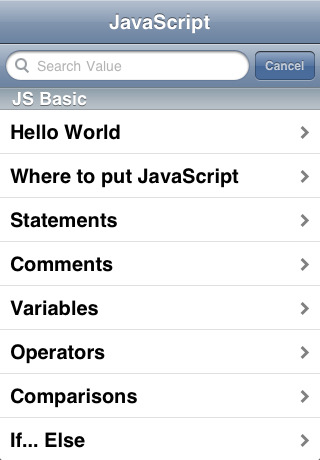
 How about that? A Javascript reference application for the iTouch. Even expert Javascript programmers need references to methods, properties and syntax from time to time. I for one, use Google quite a lot to search for things I need regarding Javascript. If you do not have any internet access though, you got a problem. But if you have Javascript Cheat Sheet in your iTouch, you can easily look up what you need. Use it as a quick reference or if you are still new to JavaScript, use it to better understand what JavaScript it is about and what it can do.
This is a native application that is searchable and has a friendly user interface to help you quickly find what you are looking for. The categories are useful and well defined. The application includes descriptions, properties and methods for working with strings, dates, arrays, math, DOM, regular expressions and others. This cheat sheet is written and reviewed by professional web developers that use Javascript on a daily basis. Free updates are also available to give you the most updated Javascript specification reference for the iTouch.
Like what you see? Buy me a cup of coffee. Or subscribe to my feeds. The ZIP compression file format has been quite common in the computing world today. It is even incorporated within Mac OS itself. Back when storage space was small, compression was mainly used to group tons of files and divided into smaller files to fit into diskettes. Now, compression is mainly used to group files together as one file. You can zip files in Mac OS either using the UI or through the command line. This neat article





